Digifloat at GITEX Global: Matched Stand, Roll-Ups, Print and Event Social
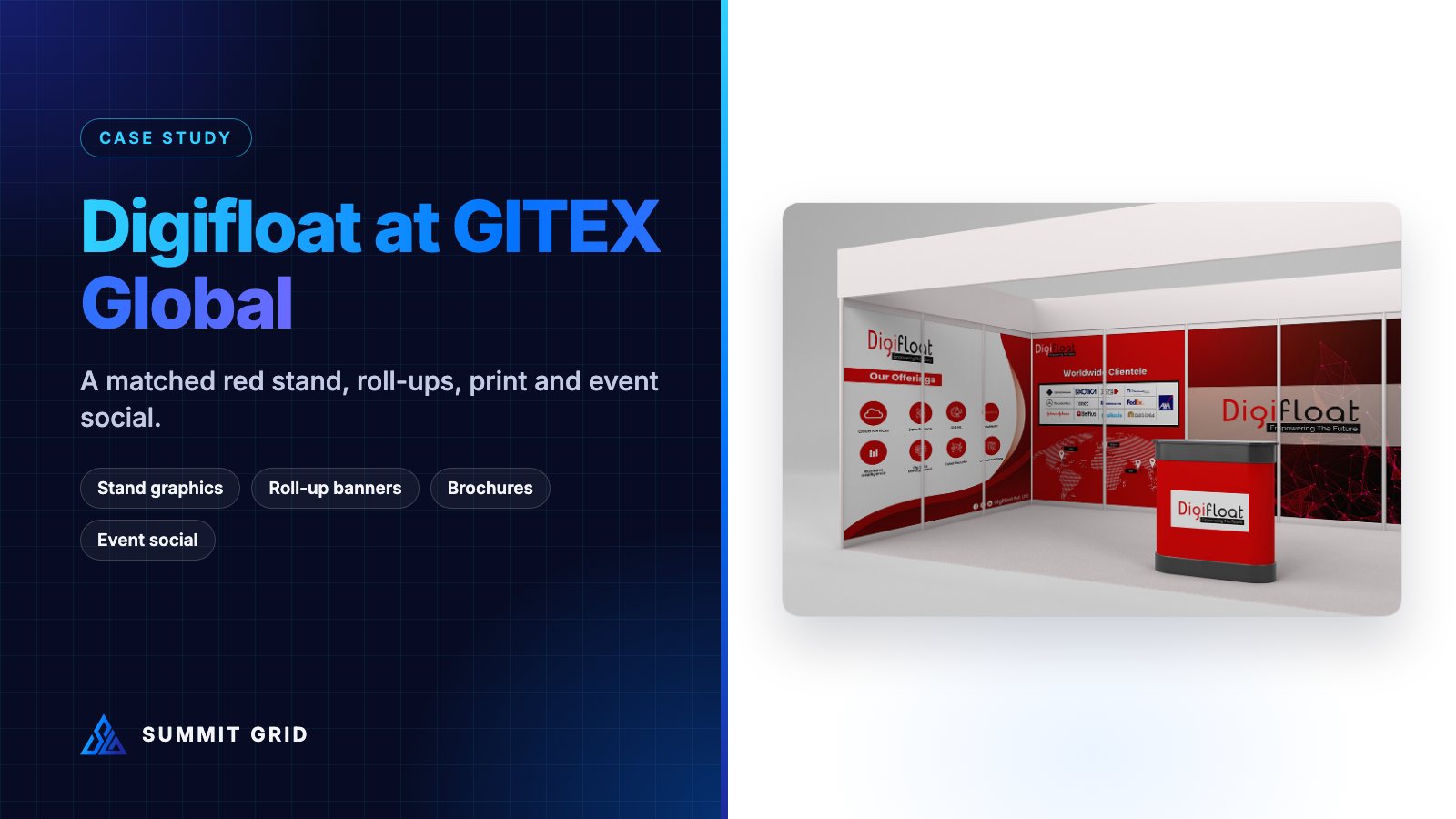
Digifloat is a data, AI and cybersecurity company. In one season they exhibited at GITEX Global in Dubai and promoted their team at ITCN Asia and AI & Big Data Expo. This case study shows how one red-and-white system covered the stand, the roll-up banners, every printed piece and the social posts around each show.
| Client | Digifloat (big data, AI, cybersecurity and software) |
| Events | GITEX Global (Tech Destination Pakistan pavilion, stand CC1-60-18), ITCN Asia, AI & Big Data Expo |
| Scope | Stand graphics, roll-up banners, brochure, flyer, business cards, staff ID cards, USB card, paper bags, event social posts, recruitment and announcement posts |
| Brand colours | Digifloat red, white and charcoal |
| Designer | Muhammad Awais Shabbir, Summit Grid |
The challenge: standing out inside a national pavilion
GITEX Global in Dubai is one of the largest technology exhibitions in the world. Many companies, Digifloat included, exhibit inside a national pavilion. Pavilions are a smart, cost-effective way to attend a major show, but they come with a design problem: every stand shares the same structure, the same header style and often the same colours as the pavilion itself.
In the Tech Destination Pakistan pavilion, Digifloat’s stand sat side by side with other technology companies. Visitors walk past a row of similar booths in a few seconds. Digifloat needed to be recognised quickly, and then remembered after the show, when sales follow-up starts.
The answer was not to make the stand louder. It was to make everything Digifloat brought to the show look like one brand: the stand screen, the roll-ups, the brochures, the staff ID cards, the bags and the social posts. When every piece matches, a small stand feels like a bigger, more established company.
Step 1: lock the red
Digifloat’s brand is built on a strong red with white and dark charcoal. Red is a great event colour because it pulls the eye in a hall full of blue and grey tech brands. But red is also one of the hardest colours to keep consistent. On fabric it can shift toward orange or pink. On glossy paper it can look darker than on a screen.
So before designing anything, we defined one red with values for every material: screen, paper, fabric and vinyl. Every file used those exact values. That is why the red on the roll-up banners, the business cards and the stand header look like the same colour in the photos, even though they were printed by different suppliers.
We explain this process in more detail in our post-mortem on brand colours that shift in print, and in our guide to CMYK rich black for exhibition graphics.
Step 2: the stand design
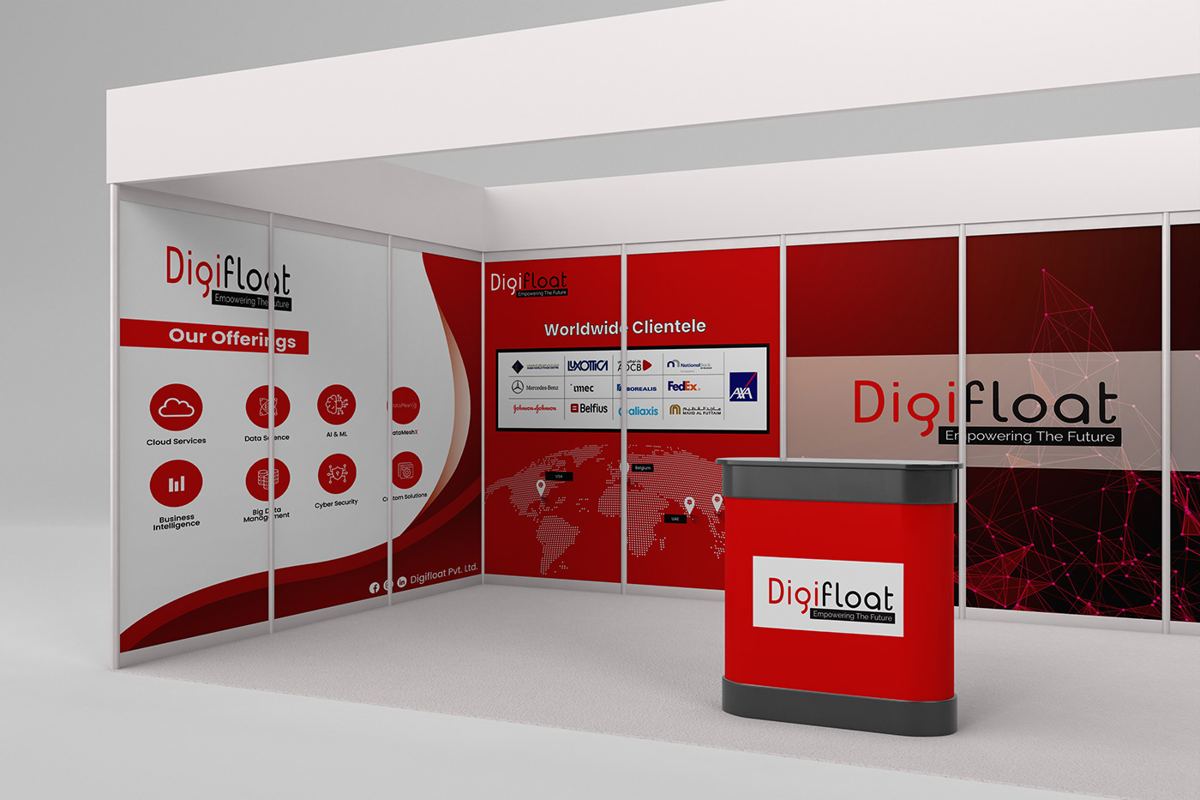
We designed the booth graphics around three simple jobs:
- Who we are: the Digifloat logo large on the main wall and on the front of the counter, with the line “Empowering The Future”.
- What we do: an “Our Offerings” wall with simple icons for each service area, such as data, AI and cybersecurity.
- Who trusts us: a “Worldwide Clientele” wall with client logos on a clean white band, so they are easy to scan.
White space was used on purpose. Tech booths often fill every inch with text, but visitors do not stop to read paragraphs. Short headings and icons work much better at a distance. Our 3D booth design page explains how sightlines and zones shape layouts like this one.
Step 3: roll-up banners that each do one job
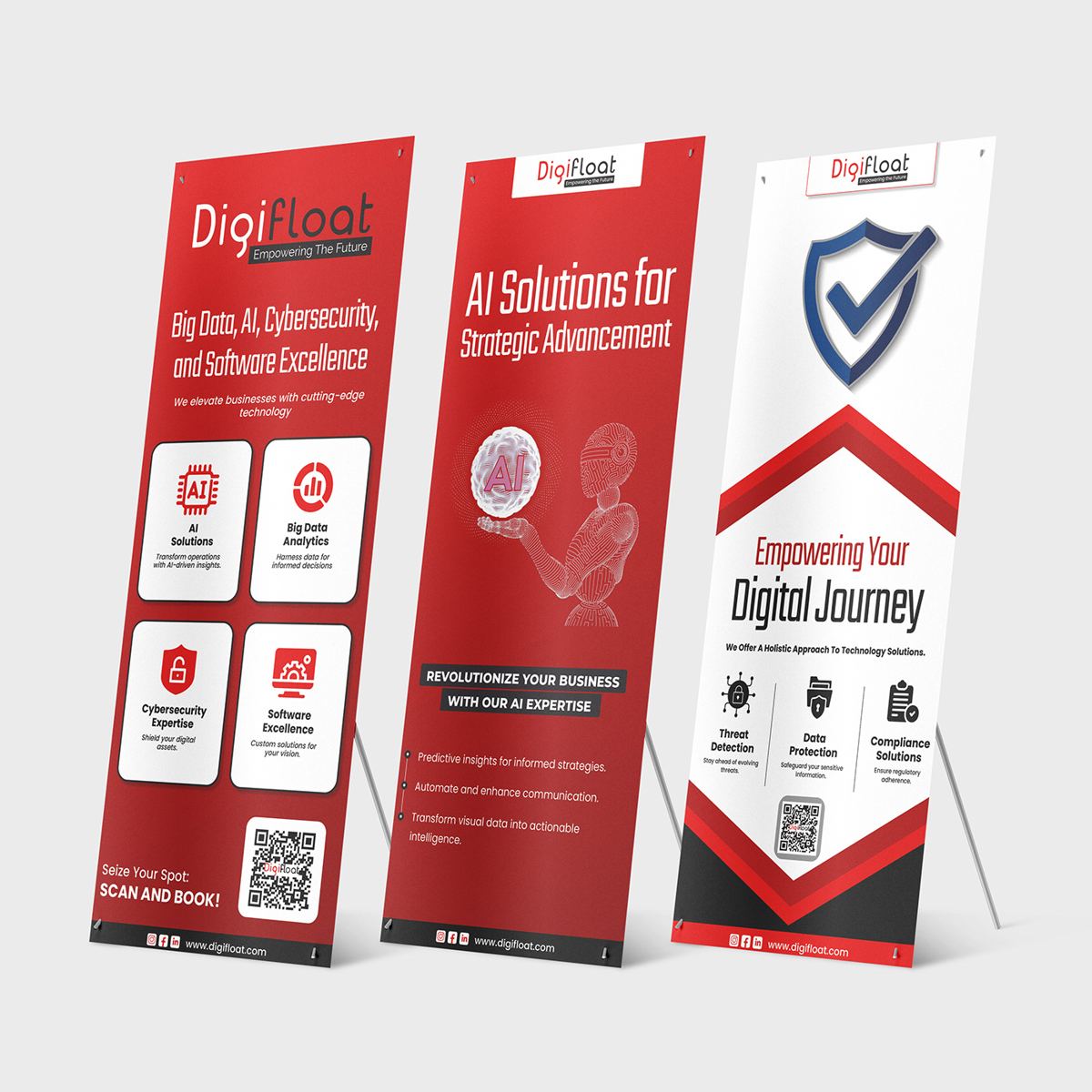
Roll-up banners are the most flexible piece of event collateral. They work inside a pavilion, at a smaller expo, at a partner event or in a hotel lobby. Instead of one banner that tries to say everything, we designed three banners with one message each:
- “Big Data, AI, Cybersecurity and Software Excellence”: an overview of services with clear icons.
- “AI Solutions for Strategic Advancement”: a focused banner for AI conversations.
- “Empowering Your Digital Journey”: a softer, benefit-led banner with a shield graphic for security.
Each one has the logo at the top, where it is visible over the crowd, a headline at eye level, and a QR code at the bottom with a “scan and book” call to action. Together they can stand side by side as a set, or be used alone at smaller events.
Step 4: print that matches the stand
Printed pieces are what visitors take home. If they look different from the stand, the brand memory weakens. We designed every print piece in the same system:
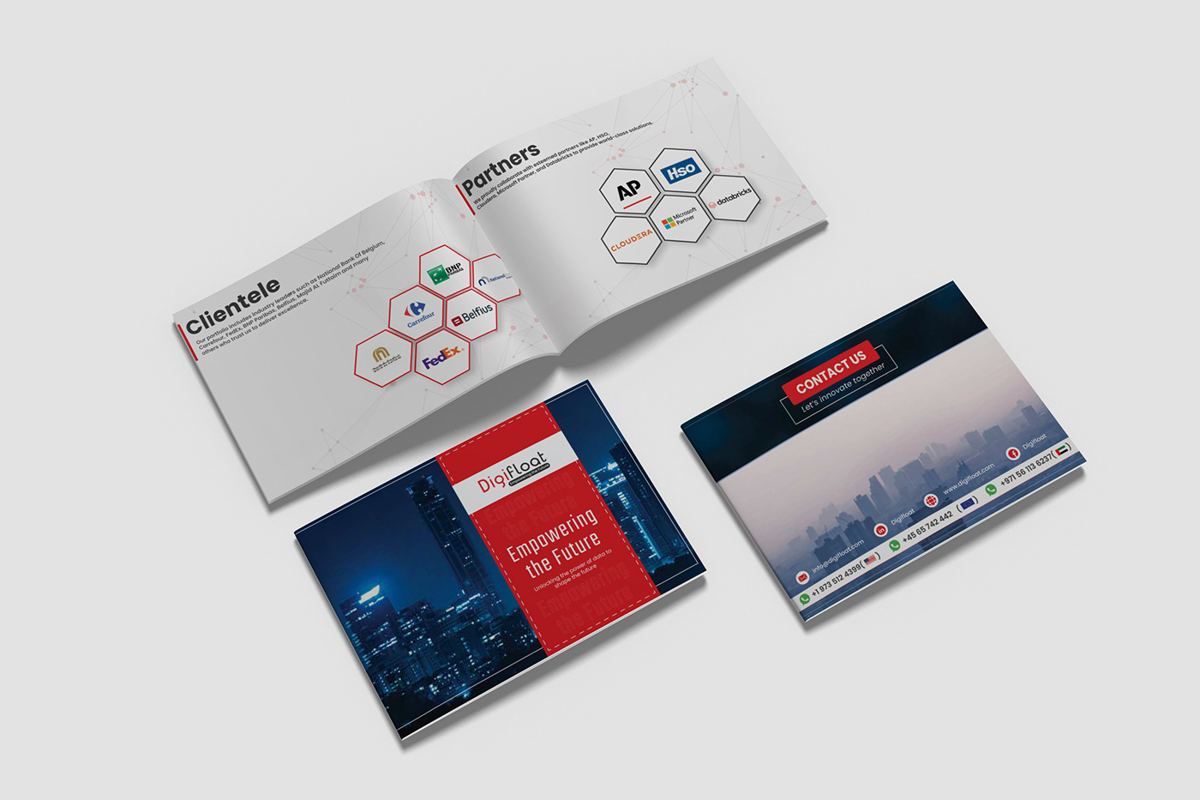
- Company brochure: a landscape booklet with the cover line “Engineering the Future”, client and partner pages, and a contact page.
- Product flyer: a single-page sheet for the DMX DataMatrix offer, for visitors who want details on one product.
- Business cards: a red front with a subtle network pattern and a white back with a QR code.
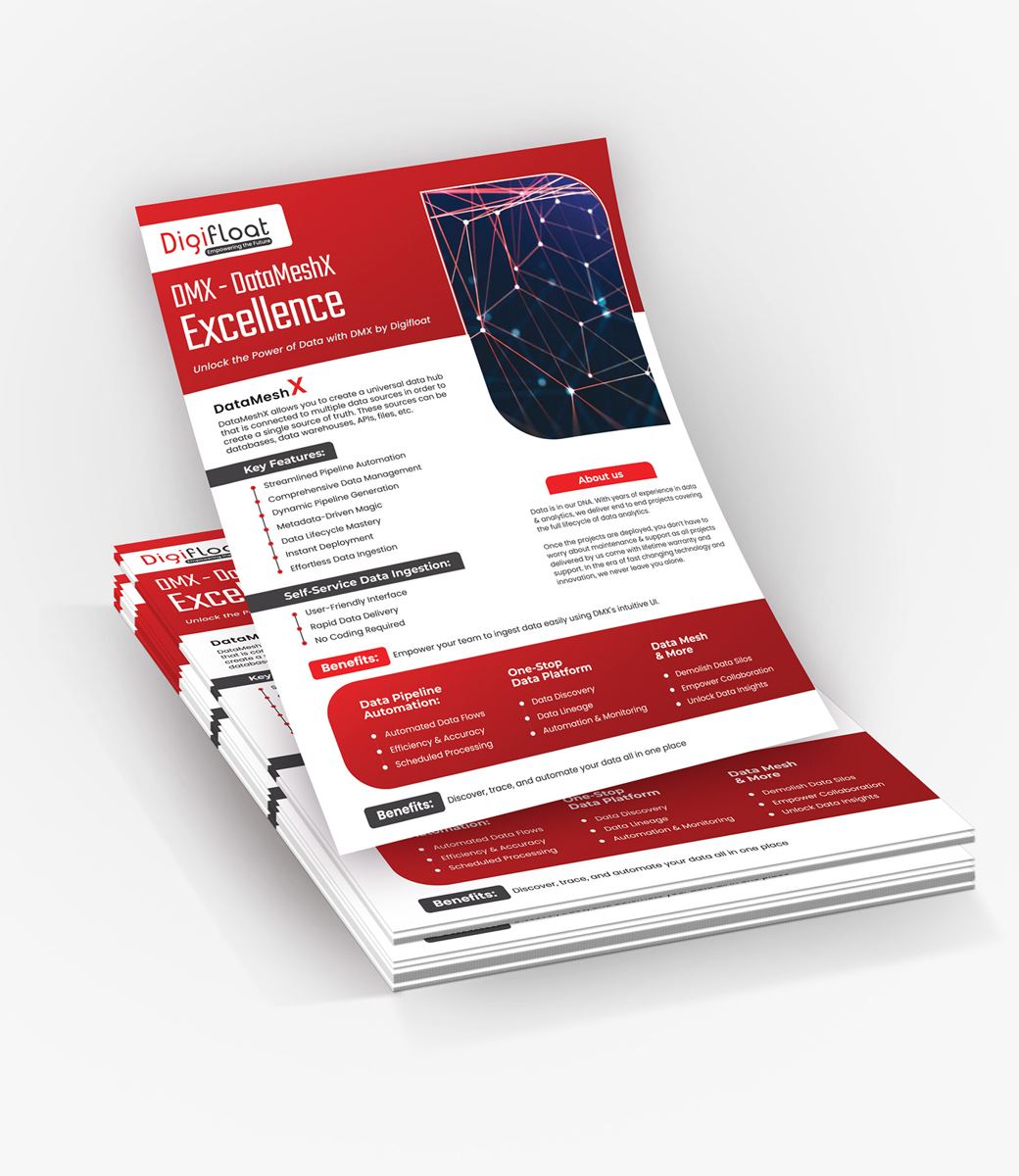
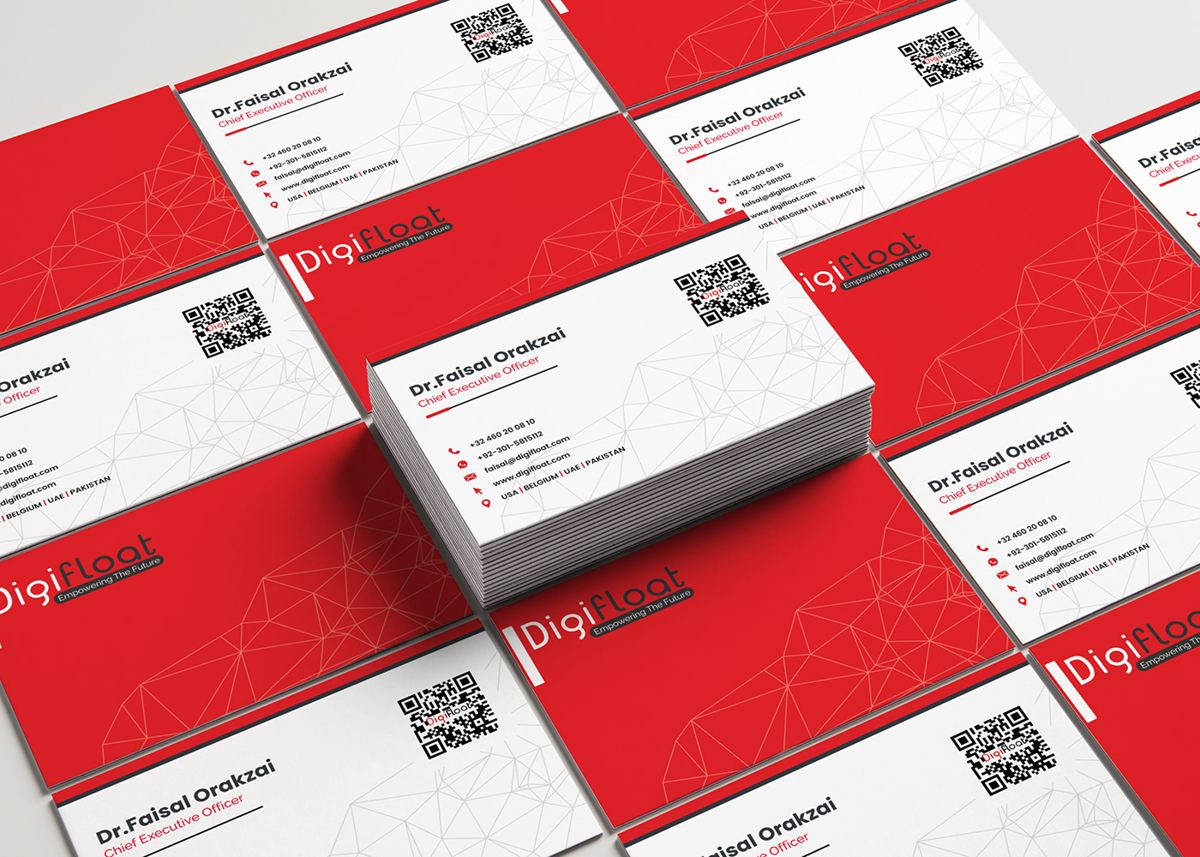
The thin network-line pattern appears on the cards, the bag and the brochure. It is a small detail, but it ties all the printed pieces together, even when the logo is not the first thing someone sees.
Step 5: staff ID cards and giveaways
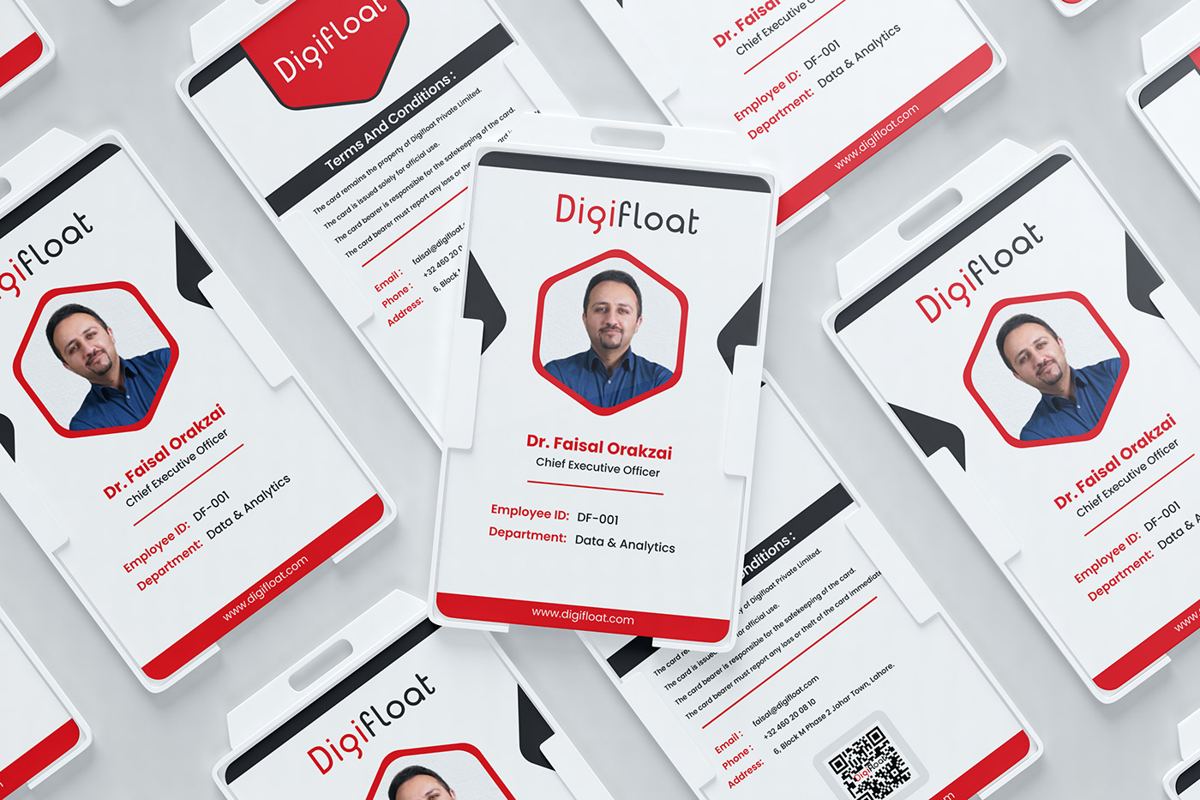
At a busy stand, visitors need to know who works there and who to ask. We designed branded staff ID cards with a photo, name, role and department. They follow the same red, white and hexagon frame shapes as the rest of the kit.
For giveaways, we focused on items people actually use:
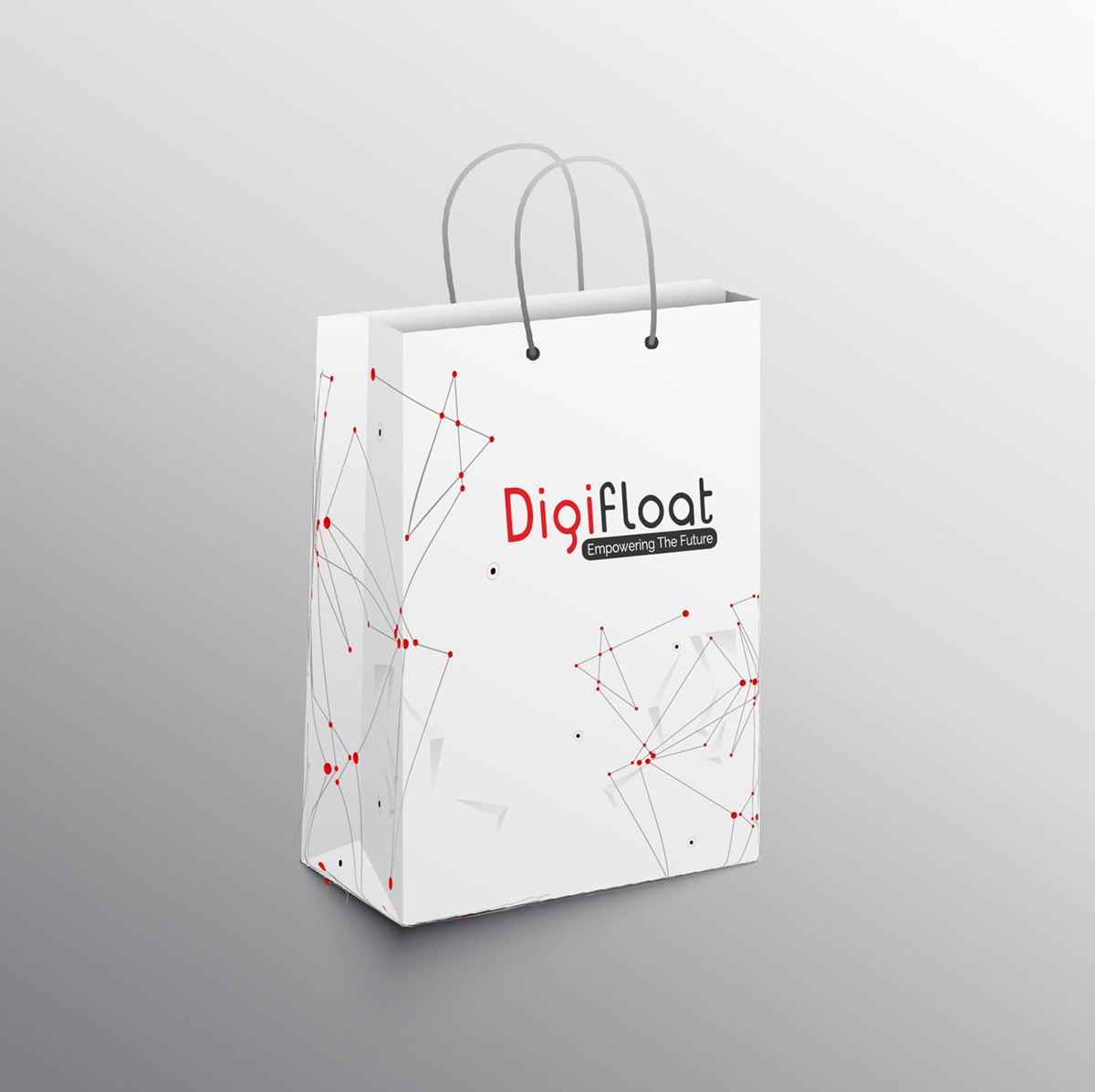
- Paper bags with the logo and network pattern, for carrying brochures around the hall.
- A USB card, a credit-card-sized USB drive printed like a business card, holding the company profile and product sheets.
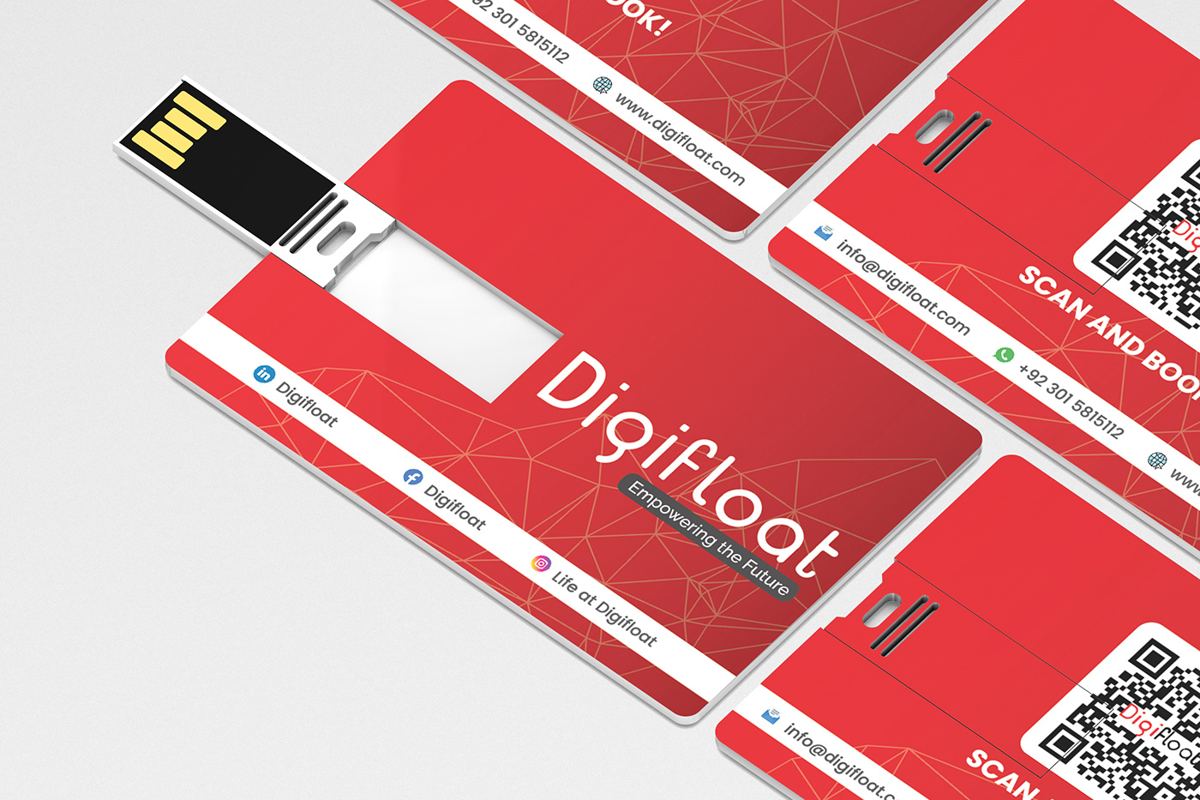
See our event collateral and media page for the full list of pieces we design for events.
Step 6: social posts before, during and after each show
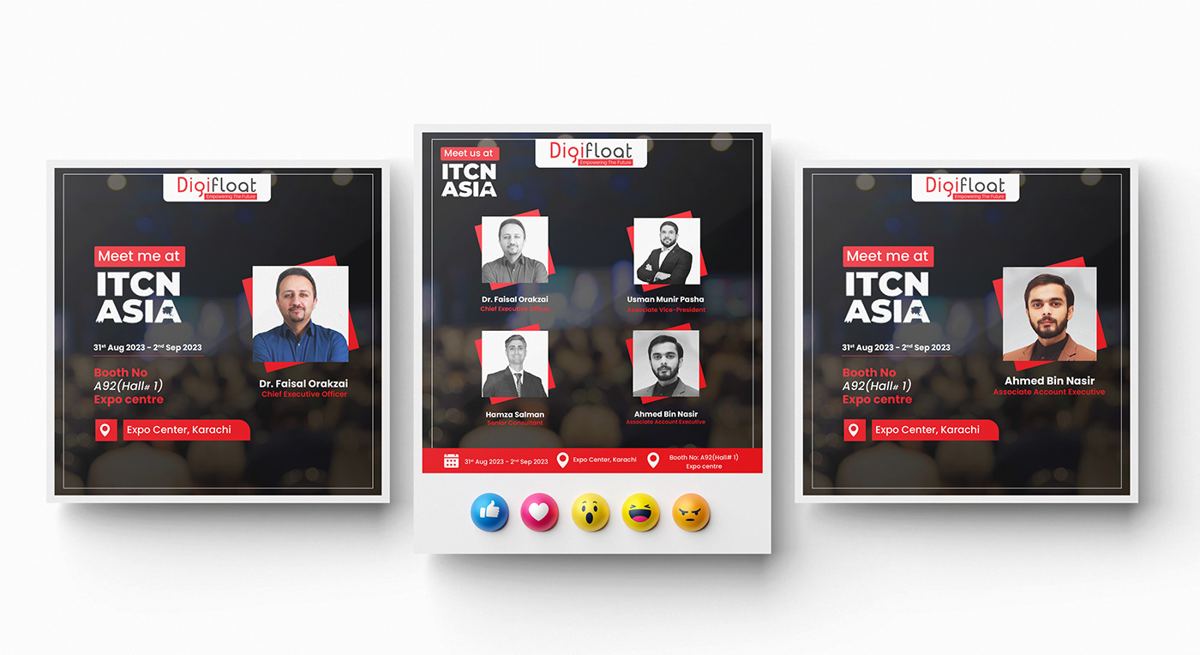
An event does not start when the doors open. It starts on LinkedIn a week before. We designed a set of social templates for ITCN Asia in Karachi and AI & Big Data Expo:
- “Meet me at” posts for each team member, so staff can share from their own profiles.
- A team post showing everyone who will be at the stand.
- Day-by-day posts during GITEX, in a branded photo frame with the Digifloat and GITEX logos and the day number.
Personal posts from staff usually reach more people than company page posts, because colleagues, clients and friends engage with them. Giving the team ready-made, on-brand templates makes it easy for them to post, and keeps every post looking like Digifloat.
Beyond events, the same system was used for recruitment posts, internship roadmaps, partnership announcements (including a Databricks partnership post) and seasonal greetings. Consistency outside events makes the brand easier to recognise at the next show.
What made this project work
- One red, defined for every material. The colour matched across stand, banners, cards and bags.
- Each piece had one job. Three focused roll-ups beat one crowded banner.
- Small repeated details. The network pattern and hexagon frames tied everything together.
- Social built in from the start. The event was promoted before, during and after the show, in the same look.
Checklist: event collateral for a stand inside a pavilion
If you are exhibiting inside a national or regional pavilion at GITEX, LEAP or a similar show, this list will help you stand out within the shared structure:
- Use your brand colour boldly on the parts you control: wall graphics, counter and screen.
- Bring 2 or 3 roll-up banners with one message each.
- Give staff branded ID cards or lanyards so visitors know who to talk to.
- Prepare one brochure and one product sheet, not ten different leaflets.
- Plan social posts for one week before, every day during, and one week after.
- Write down your colour spec and send it to every supplier.
Our runbook on the 4-foot visibility dead zone at GITEX explains where to place messages so they are not hidden by the crowd.
Roll-up banner and print sizes we used
Standard sizes keep printing simple and let you reuse the same stands and frames at every event. These are the common sizes for this kind of kit:
| Item | Common size | Tip |
|---|---|---|
| Roll-up banner | 85 × 200 cm (about 33 × 80 in) | Keep the logo in the top 40 cm and nothing important in the bottom 20 cm, which is hidden by the base and the crowd. |
| Business card | 85 × 55 mm or 3.5 × 2 in | Add 3 mm bleed on every side for full-colour backgrounds like the Digifloat red. |
| Product flyer | A4 or US Letter | One product per flyer, with a clear headline and a QR code. |
| Staff ID card | CR80, 85.6 × 54 mm | Use large name text; titles can be smaller. |
| Social post | 1080 × 1080 px | Keep event dates readable at phone size. |
Always check the exact size with your printer and booth builder before finalising files. A graphic that is a few centimetres too small will leave a visible gap on the stand, as our post-mortem on a fabric graphic printed three inches short shows.
Frequently asked questions
What should a small stand at GITEX Global include?
At minimum: clear wall graphics with your logo high up, a branded counter, one or two roll-up banners, business cards, one brochure and a plan for social posts. Matching all of them matters more than adding more items.
How many roll-up banners do I need for a trade show?
For a small or pavilion stand, two or three is usually right. Give each one a single message, and keep the logo at the top.
Are USB cards still worth it as event giveaways?
They work well for technical audiences who want detailed product documents. Pair the USB card with a QR code so visitors can also get the files on their phone.
Can you design social posts for our team before an event?
Yes. “Meet me at” templates for each team member are part of our event collateral and media packages. Read the cryptojobs.com LEAP case study for another example.
How do we keep a red brand colour consistent in print?
Define the red in HEX, RGB and CMYK, and add a Pantone reference for fabric. Share those values with every supplier and ask for a test print on the real material before the full run. Reds are especially sensitive, so judge the test print under bright, neutral light, not by a window.
What is the difference between booth graphics and event collateral?
Booth graphics are the large prints that make up the stand itself: walls, header, counter and towers. Event collateral is everything else that carries your brand at the show, such as roll-ups, brochures, cards, ID badges, bags, giveaways, screen content and social posts. Visitors experience both together, which is why they should be designed together.
See the full Digifloat project on Behance, or visit digifloat.com.